Debugging a flaky ecommerce agent with traces: Ace Hardware WebBench case study
A WebBench case study on acehardware.com showing why reliable browser agents need a runtime policy for browser-UI boundaries (permissions) and an auditable trace.
This post is a technical case study of a WebBench run on acehardware.com that repeatedly looked like it “aborted”: the browser opened and then exited without producing a usable extraction.
The point is not “ecommerce is hard.” The point is that WebBench-style tasks include non‑DOM failure modes (browser UI, permissions, extension readiness, bot protection signals). If you don’t have a runtime policy and an auditable trace, all of those collapse into one bucket: “the agent didn’t work.”
This story is the positioning in miniature:
The browser is an adapter; the runtime + verification loop is the product.
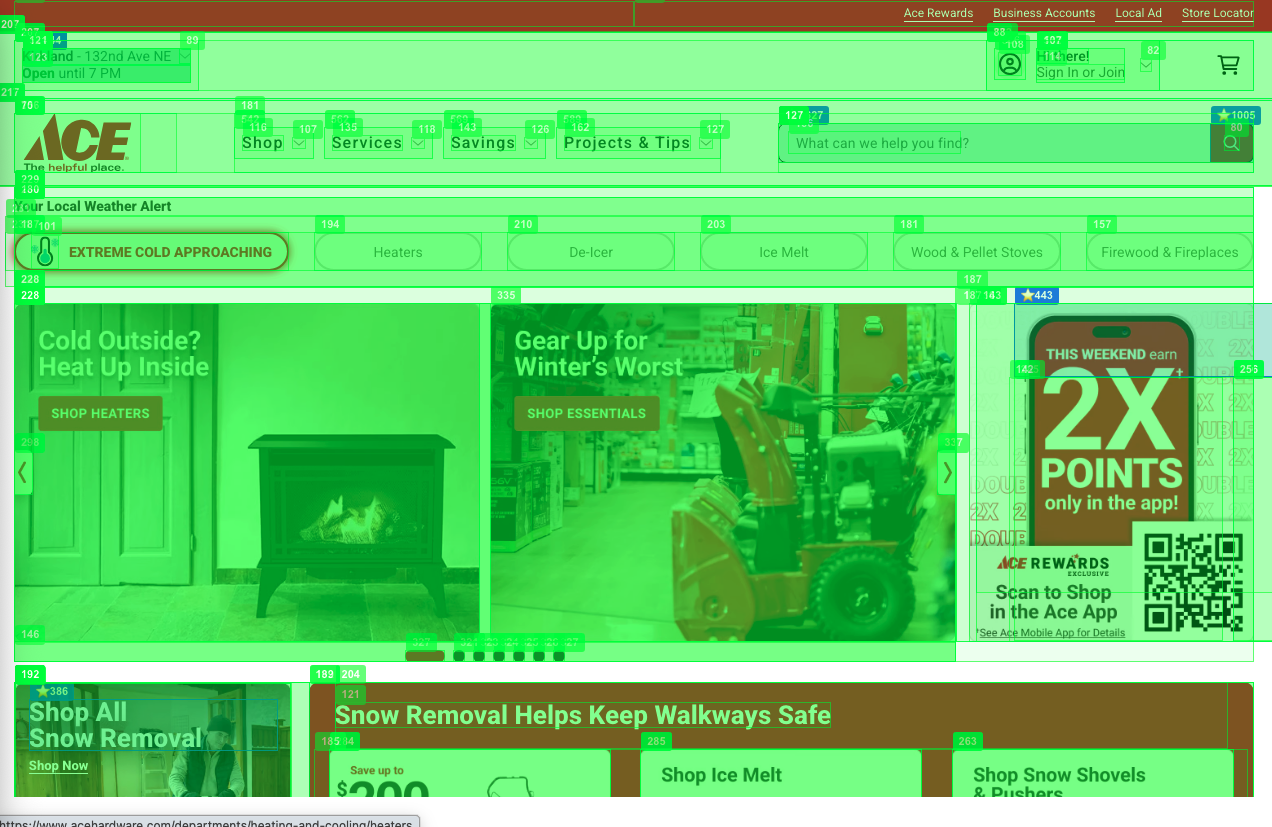
The trace below shows how a verification-first runtime turns a flaky run into deterministic, inspectable steps.
Setup: the exact WebBench task
This task comes directly from the public WebBench suite (source: https://github.com/Halluminate/WebBench/blob/main/webbenchfinal.csv).
It’s important because it’s not a cherry‑picked demo: it has hard constraints and a concrete extraction requirement.
ID,Starting URL,Category,Task
0,https://www.acehardware.com,READ,"On the product details page for the ""Black & Decker Power Tool Combo Kit,"" list its specifications including dimensions, voltage, and warranty information.
Only use http://acehardware.com to achieve the task. Don't go to any other site. The task is achievable with just navigation from this site."
Constraints worth calling out:
- Single-origin allowed: navigation must stay within
acehardware.com - READ + extract: the goal isn’t “click around,” it’s “produce structured specs”
Target flow:
- Navigate to AceHardware
- Search for “Black & Decker Power Tool Combo Kit”
- Click a product details page
- Extract specs (dimensions, voltage, warranty)
What could go wrong (and why it matters)
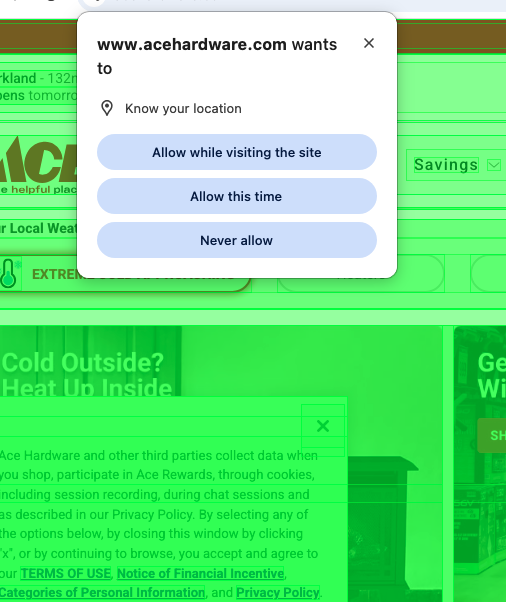
Ace Hardware can trigger a Chrome location permission prompt.
That is browser UI, not DOM:
- DOM snapshots cannot “see” it
- Accessibility-tree inspection won’t “see” it
- Gateway “modal detection” won’t “see” it
So the correct solution is not prompt hacking. It’s a runtime policy.
The fix: a runtime policy, not prompt hacking
The right layer is the browser context (Playwright/CDP):
- start runs from a clean context (reset permissions)
- optionally pre‑grant common permissions in completion‑focused benchmarks
- bounded retries if a run is blocked
This matches the CAPTCHA philosophy: explicit boundary → policy → deterministic recovery.
Results: clean trace steps (proof)
Run id: deepinfra-acehardware-20260125-013628
Run configuration (so you can reproduce it)
Models (from result.json for this run):
- Planner:
deepseek-ai/DeepSeek-V3 - Executor:
Qwen/Qwen3-14B
Here’s what “verification‑first agent execution” looks like in practice — a compact, auditable sequence:
[webbench][step] ts='2026-01-25T04:04:57.124133+00:00' phase='begin' step_id='step-1' goal='navigate_to_start_url'
[webbench][snapshot] ts=2026-01-25T04:05:07.942524+00:00 goal='after_navigation' url=https://www.acehardware.com/ confidence=1.00 reasons=['captcha_detected']
[webbench][step] ts='2026-01-25T04:05:14.852678+00:00' phase='end' step_id='step-1' ok=True

[webbench][step] ts='2026-01-25T04:06:07.464718+00:00' phase='begin' step_id='step-3' action='TYPE_AND_SUBMIT' goal="Search for 'Black & Decker Power Tool Combo Kit'"
[webbench][step] ts='2026-01-25T04:06:16.963182+00:00' phase='end' step_id='step-3' ok=True url='https://www.acehardware.com/search?query=black%20%26%20decker%20power%20tool%20combo%20kit'

[webbench][step] ts='2026-01-25T04:06:39.895422+00:00' phase='begin' step_id='step-4' action='CLICK' goal='Click the first matched product, go to product details page'
[webbench][click_select] mode=compact candidates=3 picked_id=968 picked_href='https://www.acehardware.com/p/2026525'
[webbench][snapshot] ts=2026-01-25T04:06:50.395163+00:00 goal='verify:Click the first matched product, go to product details page' url=https://www.acehardware.com/departments/tools/power-tools/combo-power-tool-sets/2026525
[webbench][step] ts='2026-01-25T04:06:59.242903+00:00' phase='end' step_id='step-4' ok=True

[webbench][step] ts='2026-01-25T04:06:59.242988+00:00' phase='begin' step_id='step-5' goal='read_extract'
[webbench][anchor] action=scroll_to_text query='Specifications' y=1369.46875
[webbench][anchor] action=click_text query='Specifications' in_viewport=True
[webbench][read] mode=fallback md_length=51993 url='https://www.acehardware.com/departments/tools/power-tools/combo-power-tool-sets/2026525'
[webbench][step] ts='2026-01-25T04:07:07.302814+00:00' phase='end' step_id='step-5' ok=True
And here’s the structured extraction + grounded evidence (the “money shot” for auditing):
{
"success": true,
"final_url": "https://www.acehardware.com/departments/tools/power-tools/combo-power-tool-sets/2026525",
"extracted_data": {
  "dimensions": "Not specified",
  "voltage": "V20",
  "warranty": "3 Year Limited Warranty"
},
"evidence": [
  { "text": "* Volts: V20", "query": "Volts", "matches": 1 },
  { "text": "* Warranty: 3 Year Limited Warranty", "query": "Warranty", "matches": 2 }
],
"evidence_total_matches": 3
}
Webbench tasks often fail for reasons that aren’t “LLM intelligence” problems. On acehardware.com, Chrome may display a native location permission prompt, which is browser UI (not DOM). That means no amount of DOM parsing, accessibility tree inspection, or gateway modal detection will “see” it. The correct solution is a runtime policy: start each run with a clean browser context (permissions reset), optionally pre‑grant common permissions for completion‑focused benchmarks, and treat browser-level prompts as explicit trust boundaries with deterministic recovery. With that in place, the agent completed the task end-to-end with a clean trace: navigate → plan → search → open PDP → read/extract.
Takeaway: Modal detection helps with DOM overlays. Browser permission prompts require browser-layer policies. A reliable agent stack needs both.
The failure mode taxonomy (and the fixes)
A) Clicks that do not navigate (silent no-ops)
Fix:
- Default verification for navigation-ish clicks:
url_changed - Stronger verification when the clicked element has an
href:url_contains(<href fragment>)
This prevents false positives like “clicked the logo and returned home.”
B) Search box typing that appends (query duplication)
We saw malformed URLs like:
https://www.acehardware.com/search?query=black%20%26%20decker%20power%20tool%20combo%20kitblack%20%26%20decker%20power%20tool%20combo%20kitFix:
- Use human-like typing (
delay_ms) rather than instant injection - Clear robustly before typing (SDK clear + key chords like Meta+A / Backspace)
C) Search results selection needs a compact “selection prompt”
On ecommerce result pages, “exact intent match” often fails (titles are abbreviated, reordered, or branded).
Fix:
- Provide the executor a compact, high-signal table of candidate links (dominant group, ordinality, href)
- Require a single
CLICK(<id>)response
This is the same prompt design used in the local playground: it turns a huge page into a bounded selection problem.
D) Extraction with zero evidence (read length 0)
In this run, extraction executed but produced no usable page content:
{"task_id":"deepinfra-acehardware","success":false,"final_url":"https://www.acehardware.com/","extraction":{"status":"error","read":{"format":"markdown","length":0},"evidence_total_matches":0}}Fix:
- Treat “zero readable content” as a first-class failure signal and replan (don’t accept empty extraction)
- Prefer extracting from the product details URL (verified), not from a fallback page like the homepage
Why snapshot diagnostics mattered
Across the run, snapshots reported:
confidence=1.00reasons=['captcha_detected']
Even when there was no interactive CAPTCHA challenge visible.
The key is that diagnostics let you distinguish:
- Model failure (bad plan / bad action)
- Site state failure (bot protection, unstable DOM, overlays)
- Integration failure (extension readiness, read injection)
Those require different fixes.
Takeaways
- A browser agent is not debuggable without traces. “It closed by itself” became an actionable sequence of failure modes.
- Verification is the control plane. Without assertions, you cannot distinguish “clicked” from “navigated.”
- Diagnostics prevent wild goose chases. They tell you when the environment is degraded (bot protection / instability).
- Prompt design still matters — but it’s most effective when the runtime bounds the problem. Compact selection prompts are powerful when fed a curated candidate set.